Warning
Suggestions stay research drafts until an attorney adopts them. Validating wording does not predict whether a mark will be registered or refused.
A Member needs Evidence and wording at Full to create and edit packets and drafts.
Before you start
You need a saved mark and a search that returned records. If not, the actions say "Save a mark and search for conflicts first." or "Save a mark first." See Add marks to your portfolio. Without active software access, every action is marked Currently unavailable, as in a new workspace below.
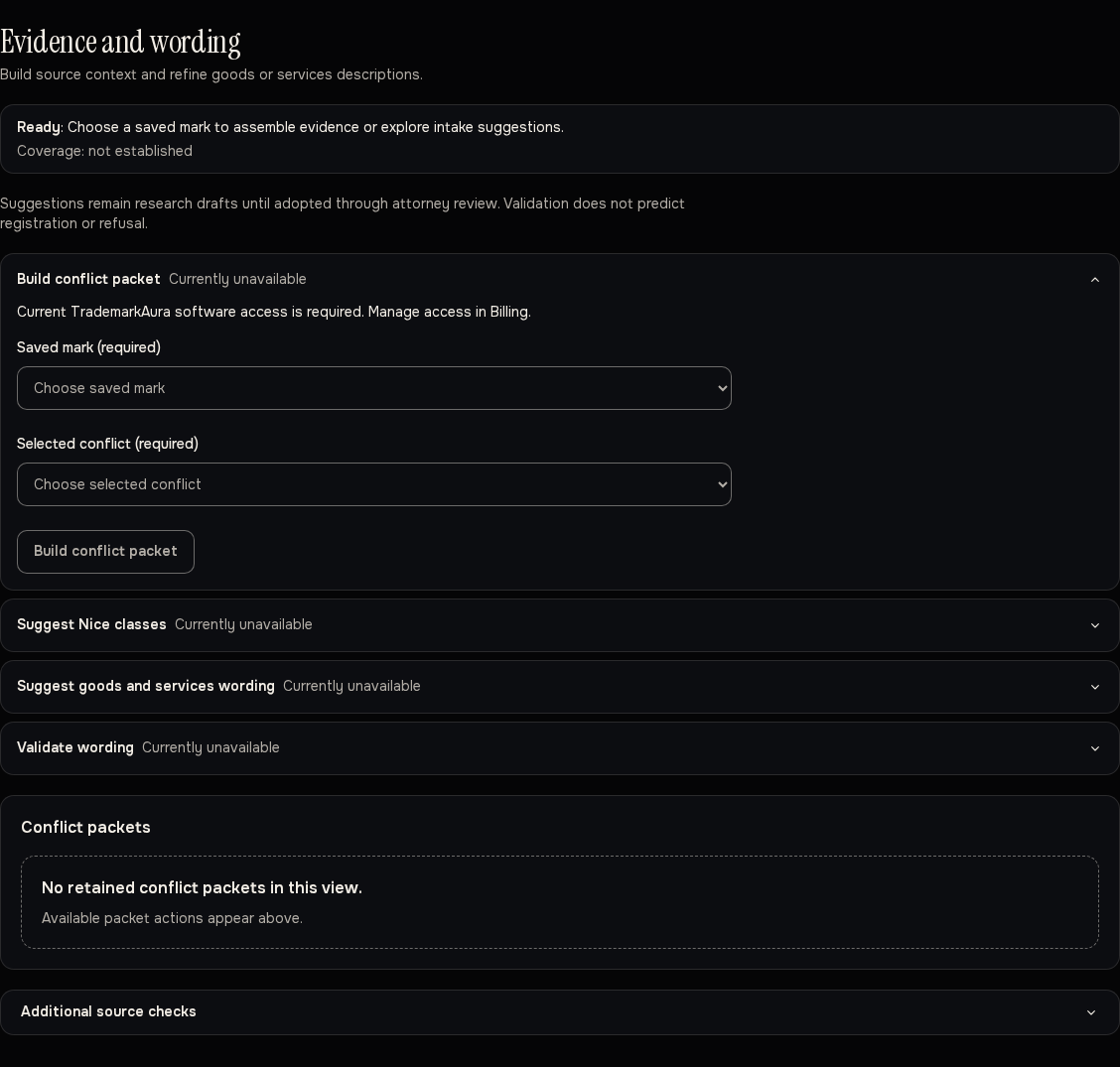
3553c0f.Build a conflict packet
- Open Build conflict packet.
- Choose the Saved mark and the Selected conflict (a record from your search, shown by its office and number).
- Submit. The packet appears under Conflict packets with its evidence.
A packet can be continued while its mark is unchanged. If the mark changed, build a new packet for the current version. You can export a retained packet for your own counsel: see Work products and export.
Suggest classes and wording
Pick a Saved mark and write Your original goods or services description, then use one of these:
- Suggest Nice classes proposes classes.
- Suggest goods and services wording proposes wording for a Nice class you choose. Choose Retain draft wording to keep a suggestion as a draft.
- Validate wording checks Wording to validate against the offices you choose.
Retained wording drafts appear on this screen, and you can export them for your own counsel.