Only Owners and Admins can invite people. A Member who opens Team sees the list of people but not the invite button.
Invite a person
- Open Team and choose Invite person.
- Enter the person's Email address. They sign in to TrademarkAura with this address.
- Under Role, choose Member or Admin. An Owner can also choose Owner. See Roles: Owner, Admin and Member.
- For a Member, choose a starting access preset. Standard member is the default. See Member access levels and presets.
- Optionally add a Title. It shows under their name, and they can change it.
- Choose Send invitation.
3553c0f.If an email went out, the app says "Invitation email sent". If we could not confirm an email was sent, it says "Invitation saved. We could not confirm an email was sent." In that case ask the person to sign in to TrademarkAura with that address. They see the invitation on their account screen and can accept it.
Follow an invitation
An invited person appears on the list with the status Invited, and a note on whether the email was confirmed. Next to the invitation you can:
- Choose Resend to send the email again.
- Choose Revoke to cancel it.
- Choose Invite again when the status says Invitation expired.
The person joins when they accept. Until then they have no access.
Good to know
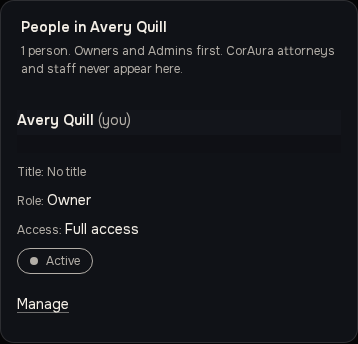
- CorAura attorneys and staff never appear on this list. They do not take a seat in your organization.
- Every person in your organization is a seat on your plan. See Plans and seats.