A request becomes a matter only after your engagement is signed, paid and accepted by an attorney. Until then your work is a request.
Requests
Requests and engagement shows your open requests. For each one you see the title, the step it is on, who acts next, your CorAura attorney, and a line saying what to do. An attorney line reads "Your CorAura attorney" followed by a name, or "A CorAura attorney will be assigned to your request." before assignment.- What has happened and What happens next list the history and the next steps. Open Request history and what happens next to read them.
- Other open requests and Earlier requests list the rest.
- Requests started by other people in your organization show read-only, with who started them.
Matters
Matters lists matters. Before any exists, you see "No matters yet" and a link back to your requests.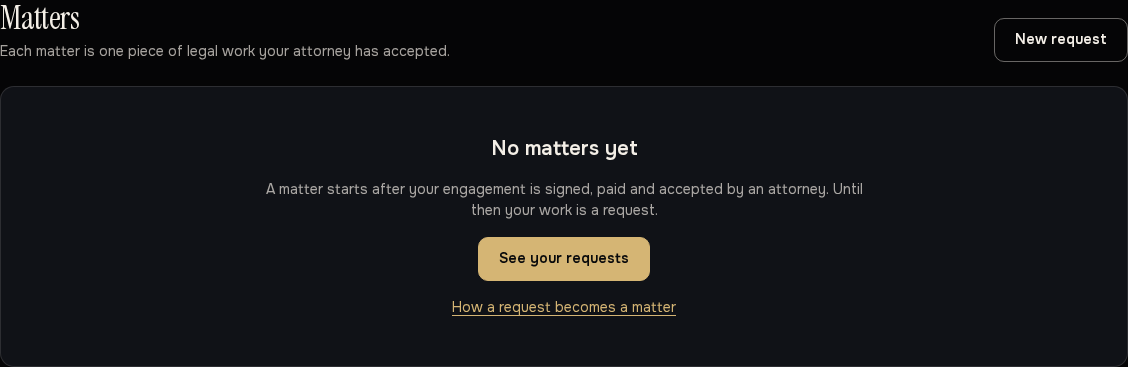
3553c0f.Open a matter to see its tabs:
| Tab | What it holds |
|---|---|
| Tasks | The facts and tasks your attorney needs from you, with a count of what is waiting. |
| Messages | Notices from your attorney and your replies. See Messages and documents. |
| Documents | Documents your attorney shared, files you sent, and notices. |
| Timeline | What has happened on the matter. |
A matter also shows its status, its accepted service terms and its Next deadline. A date your attorney has not confirmed yet is marked "to be confirmed by your attorney".
Closed matters
A closed matter stays readable. The page says "This matter is closed. You can still read its file."
Ask for a copy of your file
On a matter's Documents tab, A copy of your file lets you request a copy. It shows as pending while your attorney reviews it. When it is released, it appears as one download.