Legal help is separate from the software. A request asks CorAura attorneys to look at your trademark work. Sending a request does not start representation, and you are not charged when you send it.
For prices, see the TrademarkAura pricing page. The app also shows the fee for the service you pick before you send anything.
Who can send a request
An Owner or Admin can. A Member needs Request legal work turned on, and Legal services at Full. See Member access levels and presets.
Start a request
- Open Requests and engagement. If you have no requests, the page says "No requests yet".
- Choose Start a request, or New request if you already have one. You can also choose Ask an attorney on a mark in your portfolio or on a result.
- Answer the questions. Your answers save as you go.
3553c0f.The steps
The steps depend on the service. For a new filing they are:
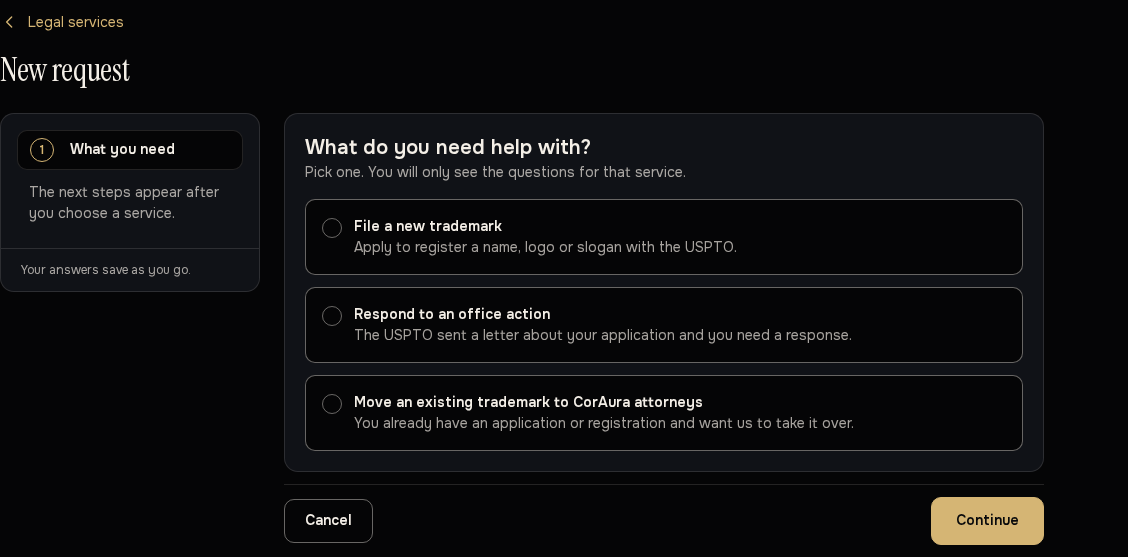
- What you need: choose File a new trademark, Respond to an office action, or Move an existing trademark to CorAura attorneys. Then pick the service. Each service shows its fee from the firm's catalog.
- Owner: an individual, or a business or organization, with name, citizenship, where they live and an address. You can add other people or companies involved.
- Mark: the mark type (words only, logo or design, image only, or words and image) and the mark wording.
- Goods and services: pick a Class, search the USPTO ID Manual for your goods, and say whether you are selling yet. Add your request in your own words.
- Use and specimen: a specimen is a photo or file that shows the mark in use. It is asked for only when you already sell under the mark.
- Review and request: check your answers, read the Fee and what happens next summary and the notices from the firm.
Use Back to change an answer, or Edit on the review page.
Send it
On the last step, tick the box that says you have read the notices and want to send the request, then choose Send request. Nothing reaches the firm until you do. You see "Request sent."
What happens next
The page shows three steps: an attorney reviews your request and replies here; you sign the engagement letter, then pay the legal fee; you authorize the USPTO fee, your attorney accepts the matter and prepares the filing. See Sign and pay.
Note
If your attorney asks for changes, the request shows Update your request. Change your answers and send it again.